Authentication
Overview
Kaunt uses the OAuth2 Client Credentials Grants flow for authentication. This means that you need a client_id and client_secret pair for your client, which is then exchanged for a Bearer token.
client_secret safeAPI key pairs consist of a client_id and client_secret. While the client_id can be public, keep your client_secret safe as it carries many privileges. You can generate and revoke API keys by contacting us.
Important: The Management API credentials are highly privileged. It can be used to create tenant-level API keys, which may grant access to customer data across all tenants under your partner account. Handle it with care.
Note: This section covers authentication for the Management API. The Kaunt API uses a different authentication method — see the Kaunt API Authentication page.
The following figure shows the authentication flow:
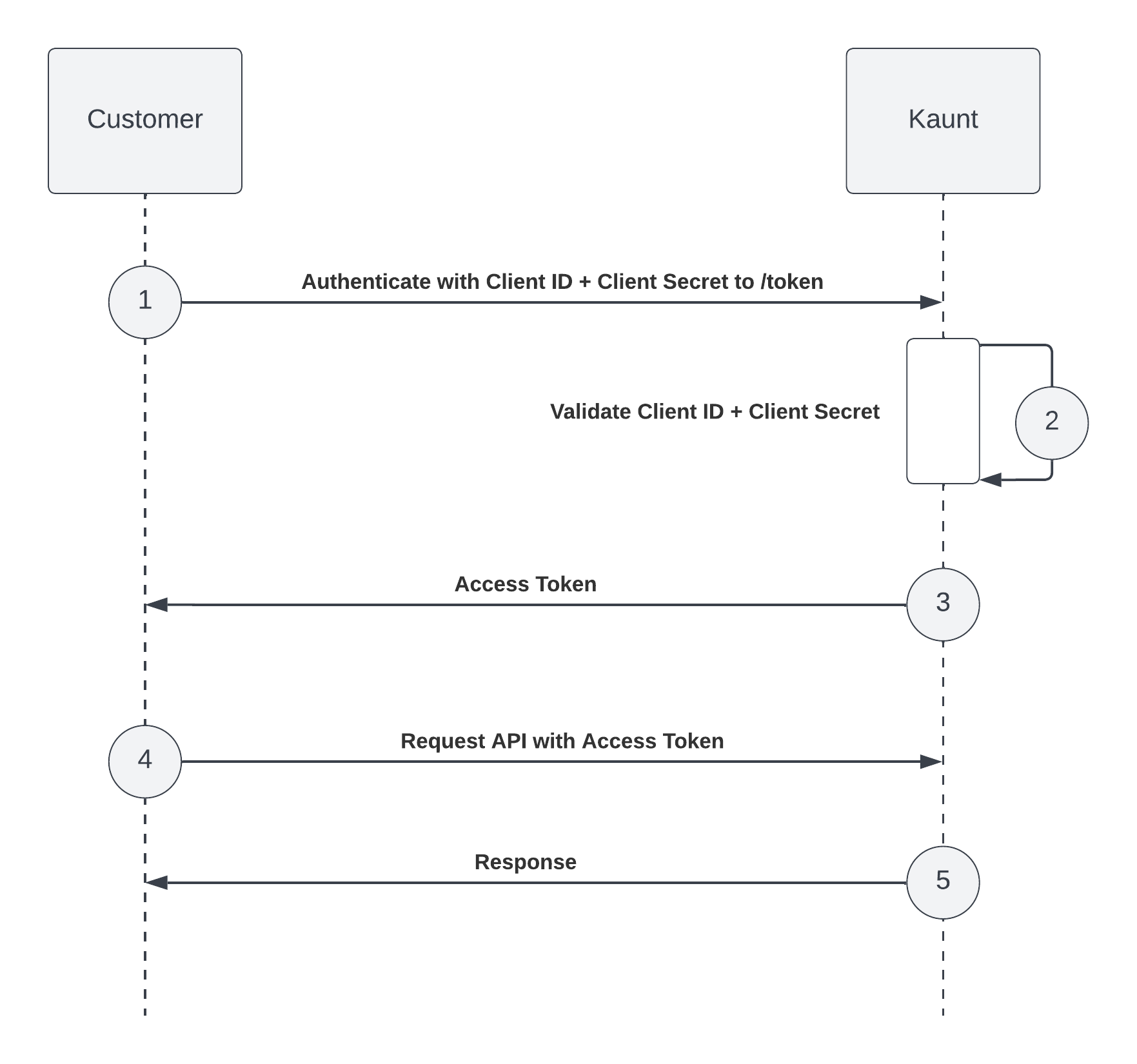
Obtain an access token
To obtain an access token, follow these steps:
- Send a POST request to https://auth.kaunt.com/oauth/token. The request body should be in JSON format and include the following properties:
curl -X POST https://auth.kaunt.com/oauth/token \
  -H "Content-Type: application/json" \
  -d '{
    "client_id": "YOUR_CLIENT_ID",
    "client_secret": "YOUR_CLIENT_SECRET",
    "audience": "https://api.kaunt.com/v1",
    "grant_type": "client_credentials"
  }'
- If the request is valid, you'll receive an API access token in the response body. The token will be valid for a certain amount of time, specified in the
expires_inparameter.
{
  "access_token": "<TOKEN>",
  "scope": "create:apikeys create:tenants ...",
  "token_type": "Bearer",
  "expires_in": 3600
}
- To make API requests, set the Authorization header of your requests to
Bearer <access token>. All API requests must be made over HTTPS. Requests made using plain HTTP will fail, as will unauthenticated requests.
Expiration
When a client_id and client_secret pair has been exchanged for an access token, the token is only valid for a certain amount of seconds (specified in the expires_in parameter in the response body). When the token expires, you'll need to restart the authentication flow from step 1.